

Find the anchor’s TRANSFER_SERVER
Before we can ask anything about how to make a SEP-6 transfer, we have to figure out where to discover that information. Fortunately, the SEP-1 protocol describes standardized fields to find out what we need.
/src/lib/stellar/sep1.js
Get /info
Now that we know where the transfer server is located, BasicPay needs to fetch the /info endpoint from the anchor’s transfer server to understand the supported transfer methods (deposit, withdraw, deposit-exchange, and withdraw-exchange) and available endpoints, as well as additional features that may be available during transfers.
At this time, BasicPay only supports the
deposit and withdraw transfer methods. A future version of this tutorial will incorporate the *-exchange transfer methods./src/lib/stellar/sep6.js
Display interactive elements
Since many of the SEP-6 (and SEP-24) endpoints require authentication, we wait until our user is authenticated with SEP-10 before we display what kinds of transfers are available. When they have a valid authentication token, we can display some buttons the user can use to begin a transfer. The user can then initiate one of the transfer methods (in BasicPay, only deposits and withdraws are supported) by clicking the “Deposit” or “Withdraw” button underneath a supported asset.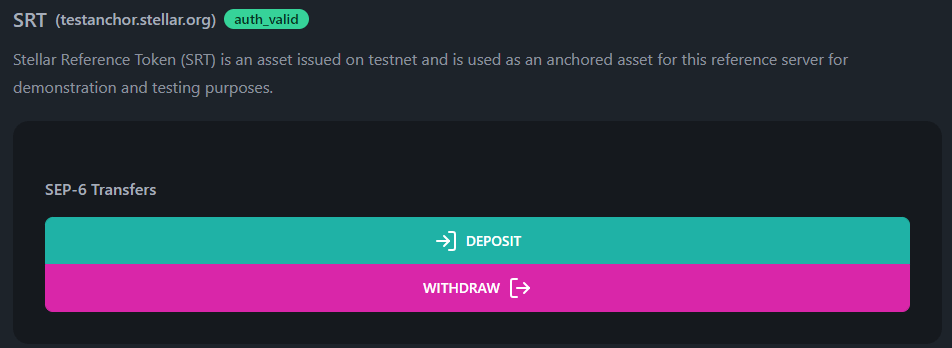
/src/routes/dashboard/transfers/+page.svelte
A special SEP-6 modal component
If you recall back to our confirmation modal section, we designed our modal component to be useful for anything we might require. Well, that’s almost true. The fact is that SEP-6 interactions are just plain complex. To facilitate that complexity, we’ve created a purpose-built SEP-6 transfer modal. There is so much to it, that we couldn’t possibly cover everything it does here. However, we’ll cover the main bits and link to the relevant source files. The modal component itself has been broken into several smaller Svelte components. Check out this source file to start looking through how we’ve put it together: https://github.com/stellar/basic-payment-app/blob/main/src/routes/dashboard/transfers/components/TransferModalSep6.svelteLaunching the SEP-6 modal
The above buttons will use thelaunchTransferModalSep6 function to display the modal to the user. Here’s how it’s defined in that same file.
/src/routes/dashboard/transfers/+page.svelte
TransferModalSep6 will walk the user through a “wizard” to gather all the required information and ultimately create the transfer.
Modal step 1: Transfer details
BasicPay prompts the user to input additional information such as transfer type, destination, and amount. Some of this is prepopulated based on which button the user clicked. However, the user can change any of the fields if they so choose. We’ll spare the code sample in this section, since it’s mostly Svelte things going on. You can view the source here: https://github.com/stellar/basic-payment-app/blob/main/src/routes/dashboard/transfers/components/TransferDetails.svelte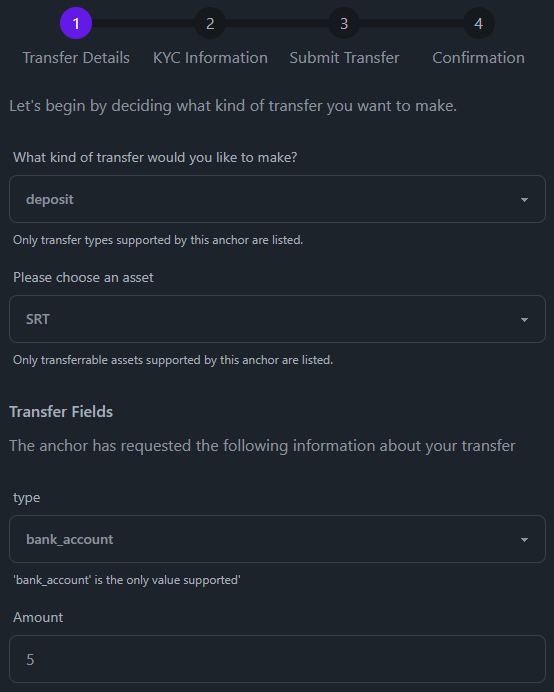
Modal step 2: Gather KYC information
To find out what infrastructure the anchor has made available for us to use, we need to query the anchor’s SEP-1stellar.toml file for the KYC_SERVER field. If this is not defined, BasicPay will fallback to using the TRANSFER_SERVER for these requests.
/src/lib/stellar/sep1.js
GET request, and we present these fields for the user to complete.
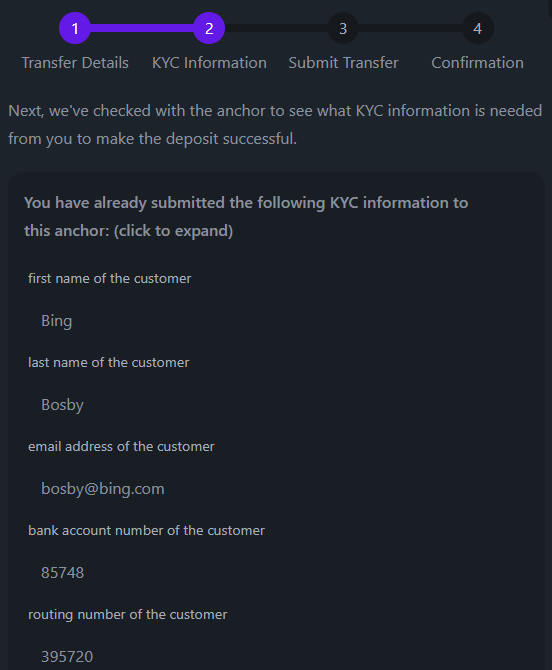
/src/lib/stellar/sep12.js
Modal step 3: Put KYC fields and report status
Now that the user has provided the necessary information for the KYC requirements of the anchor, we can submit them to the anchor’s KYC server with aPUT request.
/src/lib/stellar/sep12.js
ACCEPTED, we can finally submit the actual transfer request!

Modal step 4: Submit transfer
BasicPay makes this request by taking all the fields that have been collected during this process and wrapping them into a URL that contains query parameters: example We submit aGET request to the URL with our authorization token in the headers, and the anchor takes it from there!
/src/lib/stellar/sep6.js
transfersStore store and display the transfer server’s response to the user. We then wait for them to close the modal.
The only reason we’re storing anything about the transfer in BasicPay is to help us keep track of which anchors the user has initiated transfers with. Otherwise, we wouldn’t be able query for a transfer history (like on the
/dashboard page).(Sometimes) Modal step 5: Send a Stellar payment
In a withdrawal transaction, BasicPay will also build and present to the user a Stellar transaction for them to sign with their pincode. Here we will finally get to move back to our “regular” modal that is so good at so many things!/src/routes/dashboard/transfers/+page.svelte