

path_payment_strict_send, which allows the user to specify the amount of the asset to send, and 2) path_payment_strict_receive, which allows the user to specify the amount of the asset received. Read more in the Path Payments Guide.
User experience
With BasicPay, the user sends a path payment by navigating to the Payments page, where they can either select a user from their contacts or input the public key of a destination address. They then select the Send and Receive Different Assets toggle and determine whether they want to specify the asset sent or received. Finally they select the asset sent and the asset received and the amounts and select the Preview Transaction button.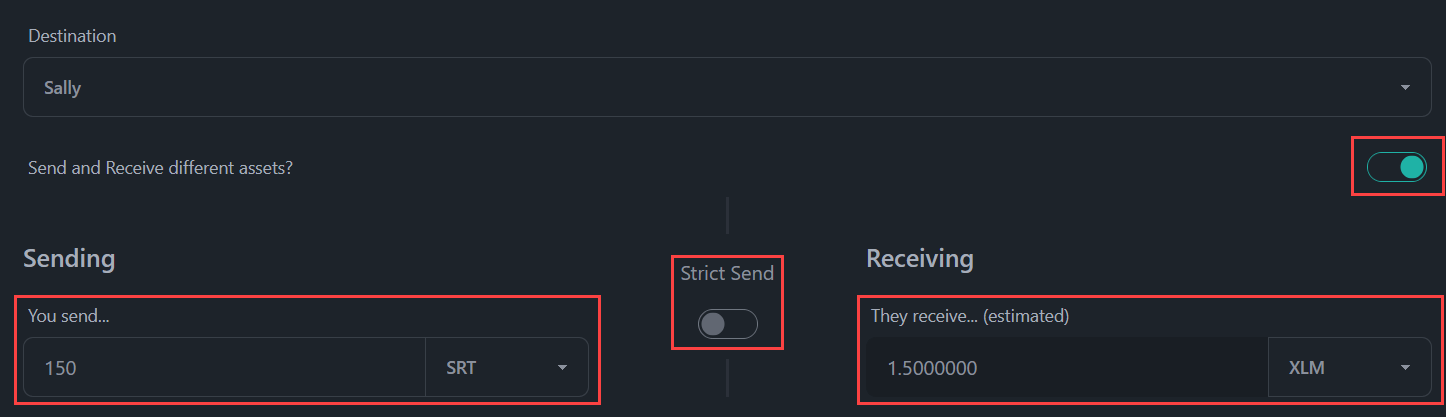
Code implementation
The /dashboard/send page
Most of this page has been discussed in the Payment section. Below, we’re highlighting the unique pieces that are added to BasicPay to allow for the path payment feature.
/src/routes/dashboard/send/+page.svelte
The transaction functions
In the above section, we used thecreatePathPaymentStrictReceiveTransaction and createPathPaymentStrictSendTransaction functions. These are used to create transactions that contain the actual path payment operation.
/src/lib/stellar/transactions.js