Getting Started
- Install Visual Studio Code (VSCode)
- Install the Jupyter Notebook extension in VSCode
-
Install the
evcxrRust Jupyter kernel with: -
Run the
Create: New Jupyter Notebookcommand in VSCode -
Click the
Select Kernelbutton in the top right -
Select
Jupyter Kernel... -
Select
Rustby searching for Rust -
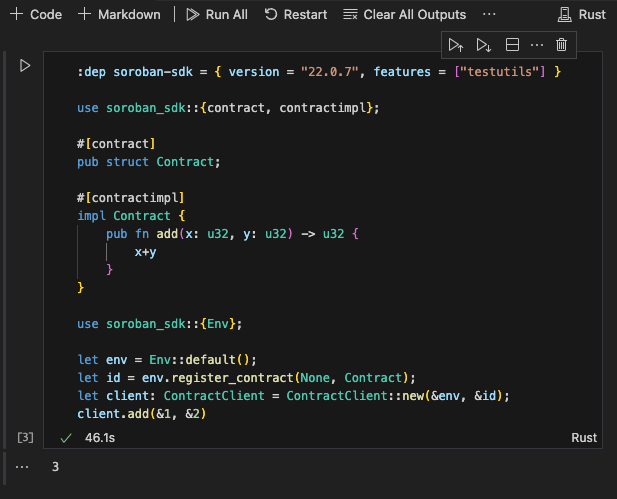
Enter on the first line an import of the
soroban-sdkdependency with thetestutilsfeature enabled. -
Enter a contract. For example:
- Enter some code to create a Soroban environment, register the contract, and invoke it.
- Click the play button to run the code.
Screenshot