

BufferedStorageBackend is designed to work with any datastore that implements the datastore interface. It returns ledger metadata in XDR format.
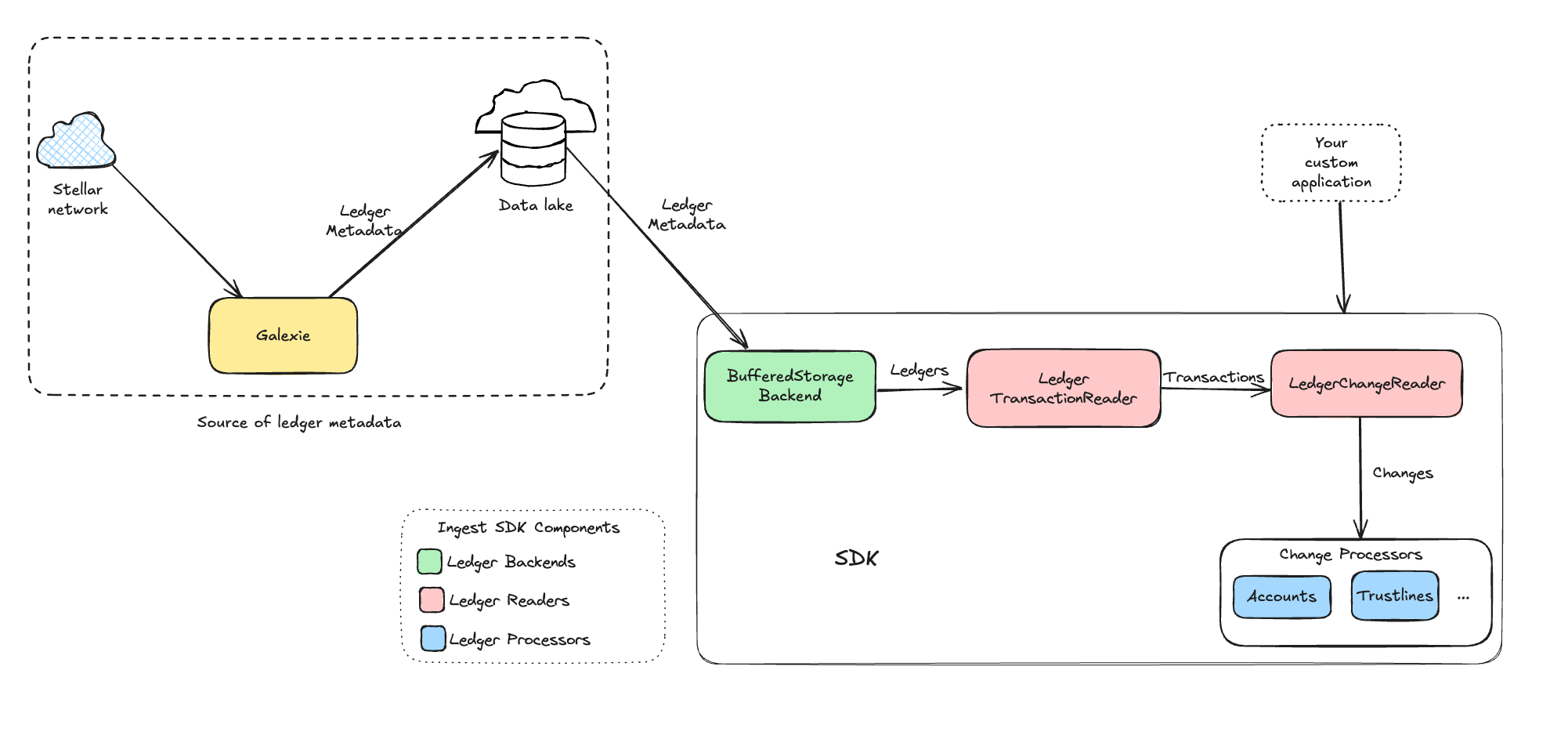
Key Features
- Parallel Downloads: Downloads multiple ledgers concurrently and buffers them in memory for fast access. This is particularly useful for fetching large historical ledger ranges.
- Schema-Aware: Reads multi-ledger files based on the datastore schema, extracting one ledger at a time.
- Automatic Retries: Handles request failures by retrying failed requests.
- XDR Output: Returns ledger metadata in XDR format, enabling easy integration with other packages in ingest SDK (e.g., processors).
Prerequisites
Installation & Setup
- Run Galexie to export ledger data to GCS cloud storage. Follow the Galexie admin guide for instructions on running Galexie.
- For purposes of the example code, ensure access to a data lake populated by Galexie, configured as a GCS bucket. For instructions on creating a data lake, refer to the Galexie admin guide.
Configuration
Datastore Configuration
Configure the datastore to match the schema used during the Galexie export. This schema defines how many ledgers per file, and how many files per partition.BufferedStorageBackend Configuration
Configure theBufferedStorageBackend to control download concurrency, buffering, and retry behavior.
Usage
BufferedStorageBackend can be used for batch processing a historical range of ledgers as well as for fetching new ledgers in real-time as they become available. Here is a sample code that usesBufferedStorageBackend for batch processing of historical ledger range.
BufferedStorageBackend, refer to the Ingestion Pipeline Code.